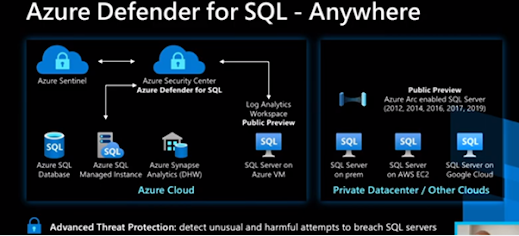
Connect Azure Assets to Azure Defender

Explore & Manage Your Resources With Asset Inventory A single page is provided by the asset inventory page of Azure Security Center for viewing the security posture of the resources you've connected to Security Center and whenever any of the resources has outstanding recommendations, they'll automatically appear into the inventory. You can use this view and its filters to address such questions as: Which of my subscriptions with Azure Defender enabled have outstanding recommendations? Which of my machines with the tag 'Production' are missing the Log Analytics agent? How many of my machines tagged with a specific tag have outstanding recommendations? How many resources in a specific resource group have security findings from a vulnerability assessment service? The asset management possibilities for this tool are substantial and continue to grow. How does asset inventory work? An Azure service known as the Azure Resources Graph (ARG) is utilized by the asset invent...